
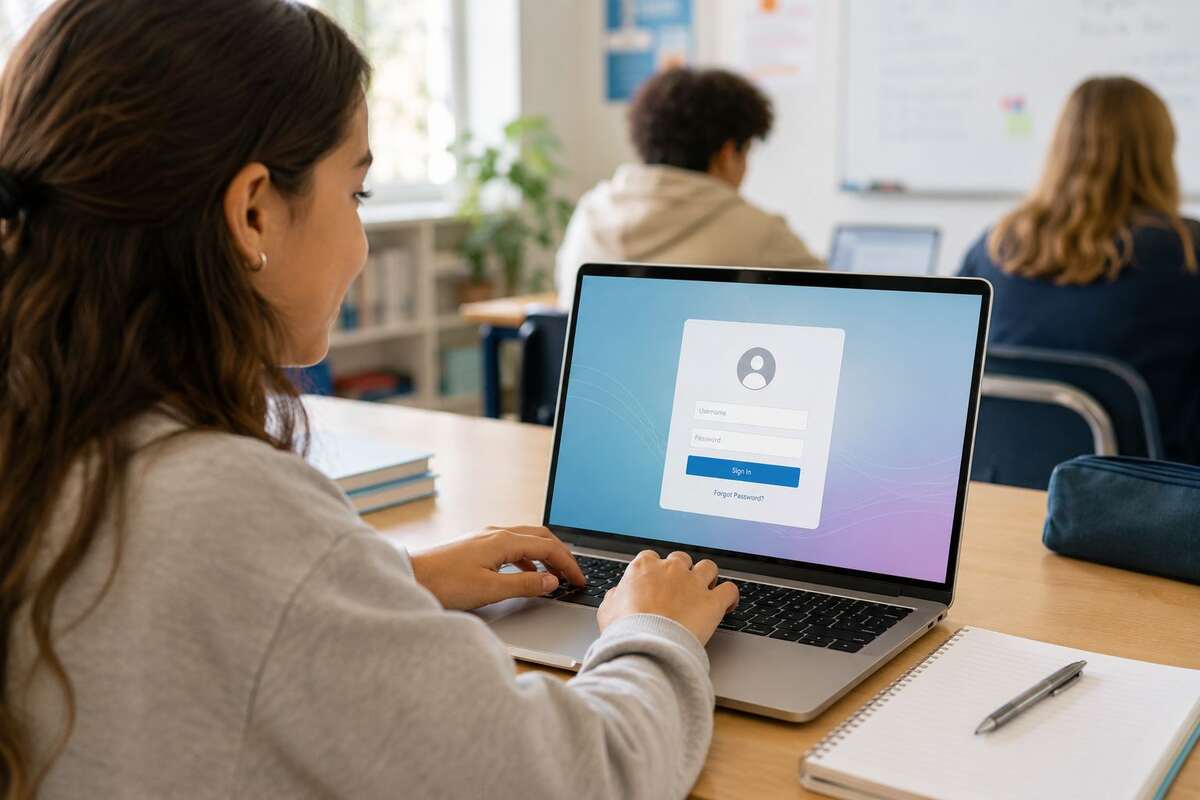
If your NCEdCloud login screen won’t cooperate, you’re not alone. Thousands of North Carolina students, teachers, and parents search for the NCEdCloud login every school day, and most run into the same few issues: the wrong URL, an expired password, or confusion over which account to use.
This guide covers how to find the correct portal, log in properly, and fix the most common access problems quickly.
What Is NCEdCloud and Who Uses the Login Portal?
NCEdCloud is North Carolina’s statewide identity system for public schools. Instead of separate logins for every app, students, teachers, and staff sign in once and reach approved tools like Canvas and PowerSchool from a single dashboard.
Three groups use it daily: students accessing assignments and grades, teachers managing classroom tools, and parents tracking their child’s progress through a connected account. Because it’s a single sign-on system, one login mistake can lock you out of everything at once, so getting it right matters. For a complete overview, including account claiming and MFA, read our guide on what NCEdCloud is and how it works.
Official NCEdCloud Login Link (Verified Access Page)
Most login problems start with the wrong page, not a wrong password. Search results sometimes show outdated links or third-party mirrors that no longer match the current system.
Always access NCEdCloud through your school district’s official website, where the login is usually labeled “NCEdCloud,” “Single Sign-On,” or “IAM Login.” If a link arrives by email or text and looks unfamiliar, confirm it with your school before entering any credentials.
How to Log Into the NCEdCloud Portal Correctly
The login process is simple once you’re on the right page. Open the official login link, enter your assigned username, type your password carefully, and click Sign In.
A few details trip people up: usernames are issued by the school rather than self-chosen, passwords are case-sensitive, and a stuck page often clears up with a private browser window. Students typically log in with credentials based on a student ID, while staff use an employee ID or district email format.
NCEdCloud Login for Students: What You Need to Know
Student accounts follow a username format set by the school, usually combining a student ID with other identifying details. Guessing this format rarely works, so it’s worth confirming with the school directly if you’re unsure.
Recently transferred students may see a short delay before their account activates in a new district. If a password looks correct but login still fails, the issue is often account status, like a transfer or temporary hold, rather than a typo. The school office can usually clear this up quickly.
NCEdCloud Login for Teachers and School Staff
Staff accounts are typically created automatically once a teacher is added to the district’s personnel system. New hires sometimes see a short gap between their start date and account activation, so checking with IT beforehand helps avoid a stressful first morning.
Staff passwords also tend to follow stricter rules than student accounts, including periodic forced resets. If a login that worked yesterday suddenly fails, a routine password expiration is often the cause rather than a technical problem.
NCEdCloud Login for Parents: Access and Permissions
Parents usually don’t log into NCEdCloud directly. Instead, they use a connected parent portal, often through PowerSchool, set up separately by the school using its own credentials.
This distinction matters because a child’s student login won’t work for parent access, even though both pull from the same underlying data. If you’re unsure which portal your child’s school uses, ask the front office for the exact link and registration steps.
Logging Into NCEdCloud on the Mobile App
Mobile access works best through your device’s standard browser rather than an in-app browser from social media apps. If a connected platform like Canvas or PowerSchool offers a dedicated app, download it from the official app store rather than a third-party link.
Saving the login page to your home screen makes future access faster. Most mobile login issues trace back to outdated app versions or browser settings blocking cookies, both easy to fix once identified.
Common NCEdCloud Login Errors and How to Fix Them
A few error types account for most login problems. An “invalid username or password” message is usually a typo, autofill error, or stray Caps Lock rather than a broken account. A page that won’t load is often a browser issue, solvable by clearing cache or switching browsers.
Accounts that lock after several failed attempts are a normal security measure and usually unlock after a short wait. If you’re redirected to an unfamiliar page, you likely started from an outdated bookmark, so return to your school’s official portal and try again.
Forgot Your NCEdCloud Username or Password?
Look for a “Forgot Password” link on the login page, which walks you through identity verification before setting a new password. Usernames follow a consistent format set by the school, so the front office can look yours up quickly if needed.
Some districts route resets through a school administrator instead of an automated tool, especially for younger students. Avoid requesting multiple resets in a short window, since repeated attempts can trigger a temporary lock.
Apps You Can Access After NCEdCloud Login (Canvas, PowerSchool)
One login can unlock several tools at once, including Canvas for assignments and classroom communication, and PowerSchool for grades and attendance. The exact list depends on what your district has connected, and these tools align with North Carolina’s broader digital learning standards.
This is also why fixing a NCEdCloud login issue often resolves problems across every linked app simultaneously, rather than needing separate fixes for each platform.
NCEdCloud Login Troubleshooting Tips for Slow or Failed Access
Browser extensions, especially ad blockers, can interfere with login scripts. Outdated browsers may not support current security protocols, and school network restrictions can sometimes behave differently than home internet.
If access is consistently slow rather than failing outright, try a different network to check whether the issue is local or system-wide.
Is NCEdCloud Login Down? How to Check Current Status
A system-wide outage usually shows clear signs: multiple students or staff reporting the same error at once, or the login page failing to load entirely rather than rejecting specific credentials.
If you suspect an outage, check your school’s official communication channels or contact IT directly rather than repeatedly retrying the login.
NCEdCloud Login Safety: Protecting Student Accounts
Never share your NCEdCloud password, even with classmates, and log out fully on shared devices instead of just closing the tab. Legitimate password resets happen through the official portal, not through unsolicited emails or texts asking for login details.
Report any suspicious login prompts to school IT staff. These small habits matter more given how many connected systems rely on a single NCEdCloud login.
FAQs
What is NCEdCloud used for?
It’s North Carolina’s single sign-on system for public schools, giving students, teachers, and staff one login for tools like Canvas and PowerSchool.
Why does my NCEdCloud login keep failing?
Usually incorrect credentials, a browser issue, or a temporary lock after failed attempts. Double-check your typing and try a different browser first.
Can parents log in directly through NCEdCloud?
Not usually. Parents typically use a separate connected portal, like PowerSchool’s parent access, set up through the school.
Who do I contact if I can’t reset my NCEdCloud password?
Your school’s front office or IT helpdesk is the fastest option, especially if automated reset isn’t available for your account.
Is there an official NCEdCloud mobile app?
Access usually happens through your browser or individual connected apps like Canvas, rather than one standalone NCEdCloud app, though this varies by district.
Final Thoughts
Most NCEdCloud login issues come down to a handful of predictable causes: the wrong link, a forgotten password, or a browser hiccup. Once you know the correct portal and what to check when something breaks, logging in becomes routine rather than a daily obstacle.
Whether you’re a student reaching today’s assignments or a parent checking grades, a smooth NCEdCloud login is just one habit away.
You may also read: CISD SSO Login Guide: How to Access ClassLink Fast