
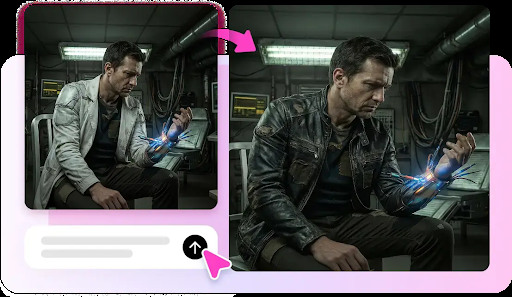
Most people can write a sentence long before they can film a scene, yet video is what audiences want to watch. That mismatch is exactly what text to video tools were built to close. You type a description of what you want on screen, and the system returns moving footage that matches it, no camera or editing suite required. For educators, marketers, and creators who think in words but need to publish in video, this is a genuine shift in what is possible alone at a desk. This article breaks down how the process works, who stands to gain, and the practical habits that separate a clear, engaging clip from a confusing one. If writing has always been your strength, your ideas may be closer to the screen than you think.
How Words Become Footage
The process starts with a prompt, which is simply a written description of the scene you want. The tool interprets that language, choosing visuals, motion, and pacing to match. Behind the scenes it maps concepts in your text to imagery, then stitches those pieces into a continuous clip. The clearer your description, the closer the output lands to what you pictured.
What makes this powerful is the removal of every technical step in between. Traditionally, turning a script into video meant storyboarding, shooting, and editing, each demanding its own skill set. Here, the writing itself carries most of the creative load. You still make choices about tone and structure, but you make them in a medium you already know.
Writing Prompts That Work
A weak prompt is vague: “a person in a city.” A strong prompt is specific: “a young woman walking through a rainy neon-lit street at night, slow camera pan, calm mood.” The difference in output is dramatic. Detail about setting, lighting, motion, and mood gives the tool the guidance it needs to produce something intentional rather than generic.
Build prompts one layer at a time. Start with the subject, add the setting, then specify camera movement and atmosphere. If a result misses, change one element and regenerate rather than rewriting everything, so you can learn which words actually shifted the outcome. This disciplined approach turns prompting into a repeatable skill instead of guesswork.
Who Benefits Most
Educators and course creators are a natural fit. Explaining a concept often needs visuals, but filming or animating them is slow. Describing a scene in text and generating it lets a teacher illustrate an idea in minutes, keeping lessons visual without a production team. The saved time goes back into teaching rather than editing.

Content marketers gain a fast route from blog to video. An article can be distilled into a handful of scene descriptions, then generated as a short clip to share on social channels. Repurposing written work this way stretches every piece of content further, reaching audiences who scroll past text but stop for video.
Solving the Skill Gap
The underlying need is the same across these groups: people have a message and the words to express it, but lack the video production skills to present it. Bridging that gap is the whole point. A writer no longer has to hire a videographer or spend months learning editing software to appear on screen. Tools such as Pippit AI are designed around this exact handoff, letting the strength of clear writing carry directly into finished video.
It is worth setting expectations, though. Highly specific brand footage, exact product close-ups, and precise text overlays may still need manual touch-ups. Knowing which parts the tool handles well lets you plan around its edges rather than fighting them, saving frustration on both sides.
Getting a Usable Result
Plan the clip before you prompt. Even a thirty-second video benefits from a rough beat sheet: an opening image, a middle that develops the idea, and a closing shot. Writing these beats first keeps your prompts focused and your final edit coherent, instead of generating disconnected scenes and trying to force them together afterward.

Generate each beat separately, then assemble them in order. Reviewing scenes individually makes it easier to spot a shot that does not fit and regenerate just that piece. Once the sequence holds together, add captions, background sound, and simple transitions to give the clip a finished, professional feel that raw generated footage lacks on its own.
Keeping a Consistent Look
Continuity is where quick projects often fall apart. If one scene is bright and cinematic and the next is flat and dim, the clip feels stitched from unrelated parts. Carry the same descriptors, color language, lighting, and style across every prompt so the video reads as a single work. Saving a reliable style phrase and reusing it in each prompt is the simplest way to hold that thread.

Common Missteps to Avoid
The biggest misstep is treating the first generation as final. Early outputs are drafts meant to be refined through better prompts and light editing. A related error is packing too much into one prompt; asking for a complex multi-action scene usually produces a muddled result, whereas one clear action per scene generates cleanly.
Another trap is neglecting sound. Video is an audio-visual medium, and silence makes even good footage feel unfinished. Add music or narration that matches the mood, and include captions so the message survives muted playback. These finishing touches cost little time but sharply raise how polished the final clip feels to a viewer.
Where Writing Meets the Screen
The distance between having an idea and showing it on video has never been shorter. If you can describe a scene clearly, you can now produce it, without a camera, a crew, or years of editing practice. The craft has shifted from operating equipment to writing precise, intentional prompts and shaping the results into a coherent whole. Start by planning a short clip in a few beats, write specific descriptions for each, and refine through iteration rather than expecting perfection on the first try. The creators who succeed will be those who treat their words as the real production tool. Your next video may be one well-written paragraph away.