Static images simply don’t stop the scroll the way video does. In 2026, content creators don’t need a production crew or an editing suite to fix this. AI image-to-video workflows are giving creators and brands a way to turn existing visual assets into compelling video content at a scale that was never realistic before. Here’s how it works, and why now is the time to build this into your strategy.
Why Static Images Are Losing the Algorithm Game
Every major platform — Instagram, TikTok, LinkedIn, YouTube Shorts — is actively pushing video content over static posts. This isn’t a theory. It’s built into how the algorithms distribute reach.
Video holds attention longer. Longer attention signals to the algorithm that the content is worth showing to more people. More reach means more impressions, more followers, more conversions. Static images, no matter how well-designed, simply can’t compete on that metric.
The creators winning on social right now aren’t necessarily producing more original content. They’re producing the same content in more formats — and video is always at the top of that list.
What an Image-to-Video Workflow Actually Looks Like
The concept is simple: take a still image and use AI to animate it into a video clip. But the execution has gotten remarkably sophisticated.
Modern image to video tools don’t just add a basic zoom or pan effect. They interpret the scene in the image — the lighting, the subjects, the implied motion — and generate realistic movement that feels intentional and cinematic. A product photo becomes a rotating showcase. A portrait comes to life with natural expression. A landscape shot develops weather, depth, and atmosphere.
For teams managing high content volume, this changes everything. Instead of scheduling a video shoot every time you need fresh content, you’re pulling from an existing image library and generating video on demand.
Why This Is the Scaling Strategy Social Media Managers Have Been Waiting For
Content scaling has always had a ceiling. You can batch-write captions. You can repurpose blog posts. But video production has historically been the bottleneck — expensive, time-consuming, and dependent on equipment and expertise most teams don’t have in-house.
AI image-to-video workflows remove that bottleneck entirely.
A single product photoshoot that produces 30 images can now yield 30 video clips. A library of brand assets built up over years becomes a content engine. Seasonal campaigns that would have required separate video production can be executed by animating existing photography.
The math works out dramatically in your favor. More content formats, faster turnaround, lower production cost, and better algorithmic performance — all from assets you already own.
Why Pollo AI Should Be Your Go-To Tool for This
There are a handful of solid AI video tools on the market, but Pollo AI stands out for creators who are serious about building a scalable image-to-video workflow.
Pollo AI’s image to video feature is genuinely impressive in terms of output quality. Motion feels natural rather than glitchy, scene interpretation is accurate, and the range of styles and motion types gives you real creative control over the final result. You’re not locked into one look — you can go cinematic, dynamic, subtle, or dramatic depending on what the content calls for.
Beyond image to video, Pollo AI offers a full suite of AI creative tools including text to video, AI avatars, mimic motion, AI animation, and a built-in video editor — meaning you can take a workflow from raw image all the way to a fully edited, platform-ready video without switching between tools.
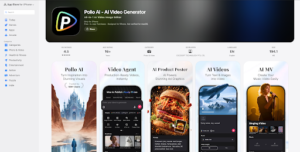
One feature worth highlighting for social media teams specifically: Pollo AI has a dedicated mobile app, which means you’re not chained to a desktop to generate content. If you’re on location, at an event, or just away from your workstation and you need to turn a photo into a video quickly, the app makes that possible. For social media managers who operate across time zones and devices, that kind of flexibility matters.
Pricing starts at $10/month, which is well within reach for individual creators and small teams — and you can try it for free before committing.
Practical Ways to Use This in Your Content Strategy
The applications are broader than most people initially realize. Here are some of the highest-impact use cases worth building into your workflow.
Product marketing teams can animate product photography for ads and organic posts, creating scroll-stopping content without a video production budget. E-commerce brands can bring flat lays and product shots to life, giving customers a better sense of scale, texture, and detail than a static image allows.
Personal brands and thought leaders can turn headshots or behind-the-scenes photos into dynamic content that performs better across LinkedIn and Instagram. Travel and lifestyle creators can animate destination photography into atmospheric clips that feel immersive rather than flat.
Even for content repurposing — taking an old blog’s featured image and animating it for a social post — the time-to-value ratio is hard to beat.
Start Building the Workflow Now
The creators and brands pulling ahead on social media right now aren’t working harder — they’re working smarter with better tools. AI image-to-video technology has reached a point where the output is genuinely good, the workflow is fast, and the competitive advantage is real.
If you have a library of images and a need for more video content, the gap between those two things has never been easier to close. Tools like Pollo AI make it practical, affordable, and fast enough to fit into any content calendar.
The scroll isn’t slowing down. Your content format needs to keep up.