A podcast clip without captions is fighting an uphill battle before it even loads. Most short-form audiences scroll with the sound off, which means a clip that relies purely on audio to land its point is invisible to a large share of its potential viewers. Video Editor AI generates captions directly from the episode audio, so this step happens automatically rather than requiring a separate transcription and styling pass.
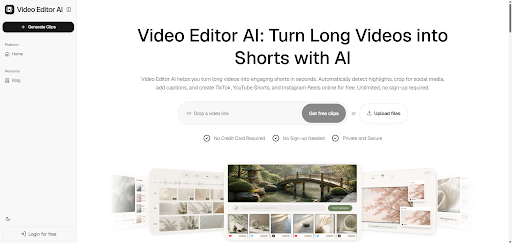
(Video Editor AI Home Page)
Why Captions Matter More for Podcast Clips Specifically
The Sound-Off Reality of Short-Form Platforms
A large share of TikTok, Reels, and Shorts viewing happens in public spaces, at work, or in situations where sound isn’t an option. For a podcast clip — which is fundamentally an audio-first format — this makes captions less of a nice-to-have and more of a requirement for the clip to communicate anything at all.
Podcast Speech Patterns Need Careful Timing
Conversational speech includes pauses, overlapping thoughts, and filler words that don’t always map cleanly to a script. Captions timed poorly against this kind of natural speech can feel disjointed in a way that’s more noticeable than in scripted video content.
How Automatic Captioning Works
Generating Captions Directly from Audio
Rather than requiring a separate transcript to be written and then manually synced, Video Editor AI generates captions straight from what was actually said in the clip, timed to match natural speech pacing.
Matching Short-Form Caption Conventions
Captions for short-form platforms typically appear a few words at a time rather than as full sentences, which keeps them readable at a glance without requiring the viewer to pause the video. Automatic captioning follows this convention by default.
Positioning That Doesn’t Block Key Content
Caption placement is handled so text doesn’t cover a speaker’s face or overlap with any on-screen elements, which is a small detail that makes a noticeable difference in how polished a clip feels.
Adjusting Captions for Your Show’s Style
Matching Brand Fonts and Colors
If your show has a consistent visual identity, caption styling can be adjusted to match — font choice, color, and emphasis styling — so clips feel like they belong to the same show rather than looking generic.
Highlighting Key Words
Some shows prefer emphasizing specific words as they’re spoken, which can make quotable lines land harder. This kind of styling is a quick adjustment rather than a manual re-timing task.
Reviewing for Accuracy on Names and Terms
Guest names, brand names, or industry-specific terms are worth a quick manual check, since these are the words most likely to need a small correction after automatic generation.
Common Captioning Mistakes to Avoid
Skipping Captions on “Simple” Clips
Even a clip that seems visually self-explanatory benefits from captions, since a large portion of the audience simply won’t hit play with sound on regardless of content.
Overloading the Screen with Text
Captions that show too much text at once are harder to read quickly and can make a clip feel cluttered. Short bursts timed to speech read far more naturally.
Inconsistent Styling Across Clips
If caption style changes noticeably from one clip to the next, it can make a show’s short-form presence feel less cohesive. Setting a style once and applying it consistently avoids this.
Accessibility Benefits Beyond Silent Viewing
Captions also make content accessible to viewers who are deaf or hard of hearing, expanding a clip’s potential audience beyond the sound-off use case alone. This is a real benefit independent of platform viewing habits, and it’s a good reason to caption every clip by default rather than selectively.
Final Thoughts
Video Editor AI (https://video-editor.ai/) generates timed, styled captions directly from a clip’s audio, removing what used to be a separate transcription and syncing task from the podcast repurposing process. Since so much of short-form viewing happens without sound, captioning isn’t an optional polish step — it’s often the difference between a clip that gets watched and one that gets scrolled past in the first second.
Caption your next clip with Video Editor AI: https://video-editor.ai/